

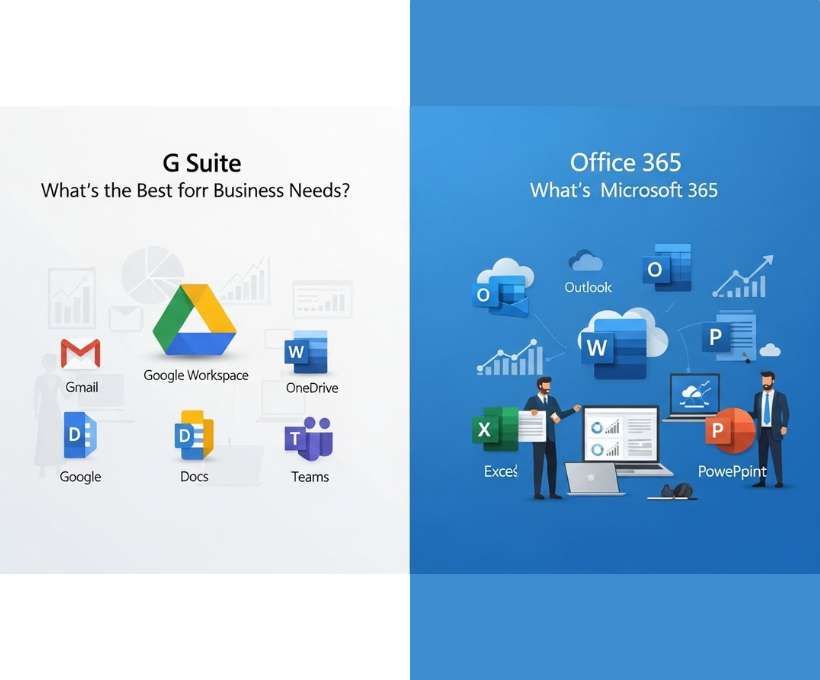
Choosing the right productivity suite is no longer a simple IT decision. It directly affects how your team communicates, collaborates, stores data, and gets work done every single day. For most businesses today, the comparison ultimately comes down to Google Workspace (formerly G Suite) and Microsoft Office 365 (now Microsoft 365).
Both platforms dominate the market. Both promise better collaboration, stronger security, and improved productivity. And both can absolutely transform the way your business operates. But they are not the same, and the “best” choice depends heavily on how your business works, not just on features or pricing.
This guide breaks down everything you need to know—clearly, honestly, and in practical terms—so you can decide which platform aligns best with your business needs.
What Are Google Workspace and Office 365?
Before comparing the two, it’s important to understand what each platform actually is and what it’s designed to do.
What Is Google Workspace?
Google Workspace is a cloud-based productivity and collaboration suite developed by Google. It brings together familiar tools like Gmail, Google Drive, Google Docs, Google Sheets, Google Slides, Google Meet, and Google Calendar under one integrated ecosystem.
At its core, Google Workspace is built for real-time collaboration. Multiple users can work on the same document simultaneously, see changes instantly, and communicate within the same interface.
Everything is browser-based by default. You don’t need to install heavy software to use it, and your files live primarily in the cloud.
Google Workspace is especially popular among startups, remote teams, creative businesses, and organizations that value speed, simplicity, and collaboration.
What Is Office 365 (Microsoft 365)?
Office 365, now officially called Microsoft 365, is Microsoft’s productivity suite that combines classic desktop applications with cloud-based services.
It includes well-known tools such as Microsoft Word, Excel, PowerPoint, Outlook, OneDrive, Teams, SharePoint, and Exchange.
Microsoft 365 offers both desktop and cloud experiences, allowing users to install full versions of Office apps on their computers while also accessing files online.
This platform is deeply rooted in enterprise environments and is often preferred by organizations that rely heavily on advanced spreadsheets, formal documentation, and structured workflows.
Why Do You Need Google Workspace or Office 365?
Many businesses still rely on scattered tools, personal email accounts, local file storage, and outdated communication methods. While that might work at a very small scale, it quickly becomes inefficient, insecure, and difficult to manage as your business grows.
Here’s why a professional productivity suite is no longer optional.
Centralized Communication
Both Google Workspace and Microsoft 365 provide professional email tied to your business domain. This instantly boosts credibility and keeps communication consistent across your organization.
Instead of juggling personal inboxes and messaging apps, everything lives in one secure, managed environment.
Seamless Collaboration
Modern work is collaborative. Teams need to share documents, co-edit files, leave comments, track changes, and meet virtually.
These suites allow teams to work together in real time, whether they’re in the same office or spread across different time zones.
Secure Cloud Storage
Storing files on personal laptops or external drives is risky. Cloud storage ensures your data is backed up, accessible from anywhere, and protected by enterprise-grade security measures.
You can control who accesses what, track activity, and recover files if something goes wrong.
Scalability for Growth
As your business grows, your tools should grow with you. Adding new users, managing permissions, and upgrading features should be simple.
Both platforms are designed to scale, whether you have five employees or five thousand.
Compliance and Security
Professional productivity suites offer encryption, admin controls, data loss prevention, and compliance with major regulations. This is especially critical for industries handling sensitive information.
Google Workspace vs. Office 365 Comparison Chart
Below is a high-level comparison to help you quickly understand how the two platforms stack up.
| Feature | Google Workspace | Microsoft 365 |
|---|---|---|
| Gmail | Outlook | |
| Cloud Storage | Google Drive | OneDrive |
| Word Processing | Google Docs | Microsoft Word |
| Spreadsheets | Google Sheets | Microsoft Excel |
| Presentations | Google Slides | PowerPoint |
| Video Meetings | Google Meet | Microsoft Teams |
| Collaboration | Real-time, browser-first | Strong, but more structured |
| Offline Access | Limited but improving | Excellent |
| Desktop Apps | No full desktop apps | Full desktop suite |
| Learning Curve | Very easy | Moderate |
| Best For | Agile, cloud-first teams | Traditional and enterprise environments |
This chart gives a snapshot, but the real differences emerge when you look at how each platform feels in day-to-day use.
Google Workspace vs. Office 365 – Which Is Best For Your Business?
There is no universal winner. The best choice depends on how your team works, what tools you rely on, and what your long-term goals are.
Let’s break this down by key decision factors.
Ease of Use and User Experience
Google Workspace is widely praised for its simplicity. The interface is clean, intuitive, and consistent across tools.
Most people can start using Google Docs or Gmail with almost no training. This makes onboarding new employees fast and painless.
Microsoft 365, while powerful, can feel more complex. The desktop apps come with extensive features that may overwhelm less technical users. However, experienced professionals often appreciate this depth.
Winner for ease of use: Google Workspace
Collaboration and Real-Time Editing
This is where Google Workspace truly shines.
Multiple users can edit the same document at once, see each other’s cursors, chat inside files, and track changes automatically. There’s no need to save versions or email attachments back and forth.
Microsoft 365 has improved significantly in this area, especially with Teams and OneDrive. However, real-time collaboration still feels more seamless and natural in Google Workspace.
Winner for collaboration: Google Workspace
Document and Spreadsheet Power
If your business relies heavily on advanced documents, complex formatting, or detailed spreadsheets, Microsoft 365 has a clear edge.
Microsoft Word offers deeper formatting controls, while Excel remains unmatched for advanced data analysis, macros, and financial modeling.
Google Docs and Sheets are excellent for everyday use, but power users may find them limiting.
Winner for advanced document needs: Microsoft 365
Email and Calendar Experience
Gmail is widely considered one of the best email platforms in the world. It’s fast, reliable, and integrates beautifully with Google Calendar and third-party apps.
Outlook, on the other hand, is deeply integrated with the Microsoft ecosystem and works exceptionally well for users who prefer structured inboxes and advanced scheduling tools.
This choice often comes down to personal and organizational preference.
Tie: Depends on user familiarity
Cloud Storage and File Management
Google Drive is simple and intuitive. Files are easy to share, search, and organize. Permissions are straightforward, and collaboration feels natural.
OneDrive and SharePoint offer more advanced file management options, especially for large organizations with complex access needs. However, they can feel cumbersome for smaller teams.
Winner for simplicity: Google Workspace
Winner for enterprise control: Microsoft 365
Remote Work and Meetings
Google Meet is lightweight, browser-based, and easy to join. There’s no need for software downloads, which makes meetings accessible for clients and partners.
Microsoft Teams is more than just a meeting tool. It combines chat, video calls, file sharing, and project collaboration into one platform. For organizations that live inside Teams, this can be incredibly powerful.
Winner for simple meetings: Google Workspace
Winner for all-in-one collaboration hubs: Microsoft 365
Security and Administration
Both platforms offer strong security features, including two-factor authentication, encryption, and admin controls.
Microsoft 365 tends to offer more granular controls, making it attractive to large enterprises with strict compliance requirements.
Google Workspace focuses on strong default security with less administrative complexity.
Winner: Tie, depending on compliance needs
Pricing and Value
Google Workspace pricing is straightforward and easy to understand. You pay per user, and most features are included without complicated tiers.
Microsoft 365 pricing can be more complex, with different plans offering different combinations of desktop apps, security features, and services.
For small to mid-sized businesses, Google Workspace often feels more cost-effective. For enterprises that need desktop apps and advanced controls, Microsoft 365 provides strong value.
Best Fit by Business Type
Google Workspace is ideal for:
- Startups and small businesses
- Remote and hybrid teams
- Creative agencies
- Tech-savvy, cloud-first organizations
- Teams that value speed and collaboration
Microsoft 365 is ideal for:
- Large enterprises
- Finance and accounting firms
- Legal and compliance-heavy industries
- Businesses reliant on Excel and Word
- Organizations with structured workflows
Conclusion
The debate between Google Workspace and Office 365 is not about which platform is objectively better. It’s about which one aligns more closely with how your business actually operates.
If your team thrives on real-time collaboration, simplicity, and cloud-first workflows, Google Workspace is likely the better choice. It reduces friction, speeds up communication, and keeps everything accessible from anywhere.
If your business depends on powerful desktop applications, advanced spreadsheets, and enterprise-level controls, Microsoft 365 remains the gold standard. Its depth and flexibility support complex workflows and large-scale operations.
Ultimately, the best productivity suite is the one your team will actually use effectively. The right choice can streamline operations, improve collaboration, and support growth for years to come.
Take the time to evaluate your workflows, involve your team in the decision, and choose the platform that supports not just where your business is today—but where it’s going next.




 English